Every growing business reaches the point where spreadsheets, inboxes and sticky notes stop working as a sales system. Leads slip, follow-ups are missed and nobody can say with confidence what will close this quarter. That is the moment to choose CRM software, and the market has never had more options.
This guide compares the 16 best CRM software platforms for 2027, with pricing checked on each vendor’s own pricing page, who each one is best for, and our picks for the best CRM software for small business. All prices are in US dollars per user per month, billed annually, unless noted. Vendors change pricing often, so confirm before you buy.
One problem no rate card solves is data entry: a CRM is only as good as what your team types into it. That is why we built Zero Touch CRM, a sales platform that captures conversations and updates deal records for sellers to review and confirm. And when no packaged product fits the way you sell, custom CRM development is often the better long-term route. We cover both below, alongside the market leaders.

| CRM | Best for | Free plan | Paid plans from | Standout strength |
|---|---|---|---|---|
| Salesforce Sales Cloud | Large and complex sales organizations | No (trial) | $25 (Starter Suite) | Deepest customization and app ecosystem |
| HubSpot Sales Hub | Inbound-led growing companies | Yes (2 users) | Starter (per seat) | Ease of use and marketing integration |
| Zoho CRM | Small and mid-sized businesses on a budget | Yes (3 users) | $14 | Features and customization for the price |
| Microsoft Dynamics 365 Sales | Microsoft 365 enterprises | No (trial) | $65 | Native Outlook, Teams and Excel integration |
| Zero Touch CRM (The NineHertz) | Teams whose CRM data depends on manual rep updates | Demo on request | Pricing on request | Automatic activity capture with seller approval |
| Pipedrive | Pipeline-focused sales teams | No (14-day trial) | $14 | Visual, easy-to-adopt pipeline |
| Freshsales | Budget-conscious small businesses | Check vendor | $9 | Low entry price with built-in phone and email |
| monday CRM | Teams already on monday.com | Check vendor | $12 (2025 list price) | Flexible, board-based workflows |
| Creatio | No-code CRM and workflow automation | No (trial) | $40 (Growth) | No-code process automation |
| Attio | Modern, data-flexible sales teams | Yes (3 users) | $40 per workspace (Plus) | Flexible data model, automatic email and calendar sync |
| Close | Inside sales and high-volume calling | No (14-day trial) | $9 (Solo) / $35 per user | Built-in calling, SMS and sequences |
| Insightly | Sales plus project delivery | Check vendor | $29 | Sales-to-project handoff |
| SugarCRM | Mid-market teams wanting flexibility | No | $19 (3-user minimum) | Flexible deployment and forecasting |
| Bitrix24 | All-in-one collaboration and CRM | Yes | $49 per organization | Lowest cost per user |
| Keap | Small-business marketing automation and payments | No | $266 (annual, 2 users) | Automation, booking and payments in one |
| ActiveCampaign | Email-led marketing and sales automation | No | By contact tier | Email marketing automation |
CRM (customer relationship management) software stores every interaction a business has with its leads and customers and turns that data into sales, marketing and service workflows. A modern CRM manages contacts and companies, tracks deals through a pipeline, automates follow-ups and reporting, and connects to email, calendars, phone systems, marketing tools and accounting software. Connecting those systems well is a product engineering job as much as a software purchase.
Common CRM software examples include Salesforce, HubSpot, Zoho CRM, Microsoft Dynamics 365 and Pipedrive. They differ less in what they do than in how deep they go, how easy they are to use and how they are priced.
We compared each platform on seven criteria:
Prices were checked on each vendor’s official pricing page in November 2026. We have no commercial relationship with the other vendors listed.
Disclosure: The NineHertz builds custom CRM systems and publishes Zero Touch CRM, which is included in this list at #5. We describe it using the same criteria as every other platform, from its product page, and note where pricing is not published.

Best for: large and complex sales organizations that need depth, customization and a large ecosystem.
Salesforce remains the most extensive CRM platform, with lead, opportunity, forecasting and pipeline management, a huge app marketplace and deep customization. It scales from small teams on Starter Suite to global enterprises.
Best for: growing companies that want sales and marketing on one easy-to-use platform.
HubSpot combines a free CRM with paid Sales, Marketing and Service hubs on a shared customer database. It is known for fast setup, a clean interface and tight marketing integration, which makes it a common first CRM for small businesses that plan to grow.
Best for: small and mid-sized businesses that want strong features and customization at a low price.
Zoho CRM offers deep customization, workflow automation and integration with the wider Zoho suite of finance, support and marketing apps. It is one of the best-value options for small businesses that expect to grow into more advanced needs.
Best for: enterprises standardized on Microsoft 365, Teams and Azure.
Dynamics 365 Sales integrates tightly with Outlook, Teams, Excel and LinkedIn Sales Navigator, so sellers can work from the tools they already use. It suits organizations with complex processes and strict security and compliance requirements.
Best for: sales teams whose pipeline data is only as good as what reps remember to type in.
Zero Touch CRM is a sales platform built by The NineHertz. Instead of asking sellers to log activity, it captures calls, meetings, emails, notes and uploaded files, structures them into CRM records and proposes stage and field updates backed by buyer evidence. Sellers review and confirm each update before it is applied. On top of that record, it tracks commitments and follow-ups, flags slipping items, drafts recap emails and mutual action plans, and gives each seller a daily brief of due follow-ups and deals that need attention.
See how Zero Touch CRM captures sales activity and updates deals.
Best for: small and mid-sized sales teams that live in their pipeline and want simplicity.
Pipedrive is built around a visual, activity-based pipeline that keeps reps focused on the next action. It is quick to adopt, needs little admin and has a large integration marketplace, which makes it one of the most popular CRMs for small sales teams.
Best for: budget-conscious small businesses.
Freshsales offers contact and deal management, built-in phone and email, and workflow automation at one of the lowest entry prices in this guide.
Best for: teams already using monday.com for work management.
monday CRM brings flexible, board-based customization to sales pipelines, account management and post-sale work, and is easy for non-technical teams to set up.
Best for: organizations that want CRM and no-code workflow automation on one platform.
Creatio combines sales, marketing and service CRM with no-code tools to build workflows and apps, which suits companies with distinctive processes and regulated industries.
Best for: modern sales teams that want a flexible data model.
Attio is a newer CRM with flexible objects that syncs email and calendar data automatically, popular with startups and fast-moving go-to-market teams.
Best for: inside sales teams that make a lot of calls and emails.
Close combines CRM with built-in calling, SMS and email sequences, so reps can work their pipeline without switching tools.
Best for: businesses that sell and then deliver projects.
Insightly connects CRM with project management so teams can move from closed deal to delivery in one system.
Best for: mid-market companies that want a flexible CRM with predictable pricing.
SugarCRM offers sales and service editions with forecasting, guided selling and flexible deployment.
Best for: small businesses that want CRM plus collaboration in one low-cost workspace.
Bitrix24 bundles CRM with tasks, chat, video calls and websites. Pricing is per organization rather than per user, which makes it very affordable for small teams.
Best for: small service businesses that want CRM, marketing automation and payments together.
Keap combines contact management, automation, appointment booking and payments for small service businesses.
Best for: email-led businesses that want marketing automation with built-in CRM.
ActiveCampaign is a marketing automation platform with CRM features for segmentation, campaigns and sales follow-up.
Get a CRM shortlist and integration plan for your sales process.

Small businesses need a CRM that is quick to set up, affordable and usable without a dedicated admin. Based on the platforms above, these are the best CRM software options for small business:
| If you are… | Best fit | Why |
|---|---|---|
| A small team on a tight budget | Freshsales or Zoho CRM | Low entry prices, free or low-cost starter plans |
| A small sales team focused on deals | Pipedrive | Visual pipeline reps adopt quickly |
| An inbound business growing marketing | HubSpot | Free CRM and strong marketing tools |
| A team that lives on the phone | Close | Built-in calling, SMS and sequences |
| A small team that also needs collaboration | Bitrix24 | CRM, tasks and chat at a flat price |
| A service business that takes bookings and payments | Keap | Automation, booking and payments in one |
| A team whose reps skip CRM updates | Zero Touch CRM | Captures activity automatically for sellers to confirm |

| If you are… | Shortlist |
|---|---|
| A large enterprise with complex sales | Salesforce, Microsoft Dynamics 365, Creatio |
| A growing company with inbound marketing | HubSpot, Zoho CRM |
| A small sales team focused on pipeline | Pipedrive, Freshsales, Close |
| A modern sales team that wants a flexible data model | Attio, HubSpot |
| A sales team losing data because reps don’t update the CRM | Zero Touch CRM, Close, HubSpot |
| Already standardized on Microsoft or monday.com | Dynamics 365 or monday CRM |
| Looking for the lowest cost per user | Zoho CRM, Bitrix24, Freshsales |
Beyond the shortlist, ask six questions before you sign:

License fees are usually the smallest part of a CRM’s total cost. Budget for:
Our guide to calculating CRM software cost for your business walks through a full budget.
Off-the-shelf CRM software fits most companies. A custom or extended CRM can make more sense when:
Many companies take a middle path: keep a leading CRM as the system of record and build custom apps and integrations around it. If you are weighing these options, see how NineHertz approaches custom CRM development, our step-by-step guide to building your own CRM, or our list of CRM software development companies.
There is no single best CRM software for every business. Salesforce and Microsoft Dynamics 365 lead for complex enterprises, HubSpot and Zoho CRM for growing companies, and Pipedrive, Freshsales, Close and Bitrix24 are the best CRM software for small business, while Zero Touch CRM is worth a look if keeping your CRM up to date is the real problem. Shortlist two or three platforms that fit your size and tools, run a trial with real data and real reps, and compare three-year cost before you commit.
Extend a leading CRM or build one around how you sell.
There is no single best CRM for every business. Salesforce and Microsoft Dynamics 365 lead for large, complex enterprises; HubSpot and Zoho CRM suit growing companies; and Pipedrive, Freshsales, Close and Bitrix24 are strong choices for small businesses.
For most small businesses, Zoho CRM, HubSpot, Pipedrive, Freshsales, Close and Bitrix24 offer the best mix of price and ease of use. Freshsales and Zoho CRM have the lowest entry prices, HubSpot has a free CRM for up to 2 users, Pipedrive is easiest for pipeline-focused sales teams and Bitrix24 is the cheapest per user.
For a five-person team on entry paid plans billed annually, the CRMs in this guide cost from about $540 a year (Freshsales) to about $4,600 (Keap), before setup, add-ons and usage fees. Several tools, including HubSpot, Zoho CRM and Bitrix24, also offer free plans.
HubSpot offers a free CRM for up to 2 users, Zoho CRM is free for up to 3 users, Attio is free for up to 3 users and Bitrix24 has a free plan. Free plans limit users, features and usage, so check limits before committing.
Paid CRM plans in this guide start from about $9 to $65 per user per month billed annually, with enterprise editions from roughly $100 to $550 per user. Total cost also includes implementation, data migration, integrations, onboarding fees, add-ons and admin time.
Zero Touch CRM is a sales platform from The NineHertz. It captures calls, meetings, emails, notes and files, structures them into CRM records and proposes stage and field updates that sellers review and confirm, then tracks follow-ups and shows pipeline health, deal risk and forecast confidence. Pricing is available on request.
Most companies should buy. A custom or extended CRM makes sense when your process is a competitive advantage, you need a data model or compliance control products can’t provide, per-user costs at your scale exceed building your own, or you need deep integration with proprietary systems.
Define the processes the CRM must run, list required integrations, decide which features your team will use every day, compare three-year total cost, check how easily it can be customized and confirm you can export your data. Then trial two or three platforms with real data and real users.

Key Takeaways Software development companies in India range from firms with 1,000+ engineers, like Simform and TatvaSoft, to teams of…

The landscape for IT and software development activity is changing faster than ever. Businesses that do not efficiently scale operations…
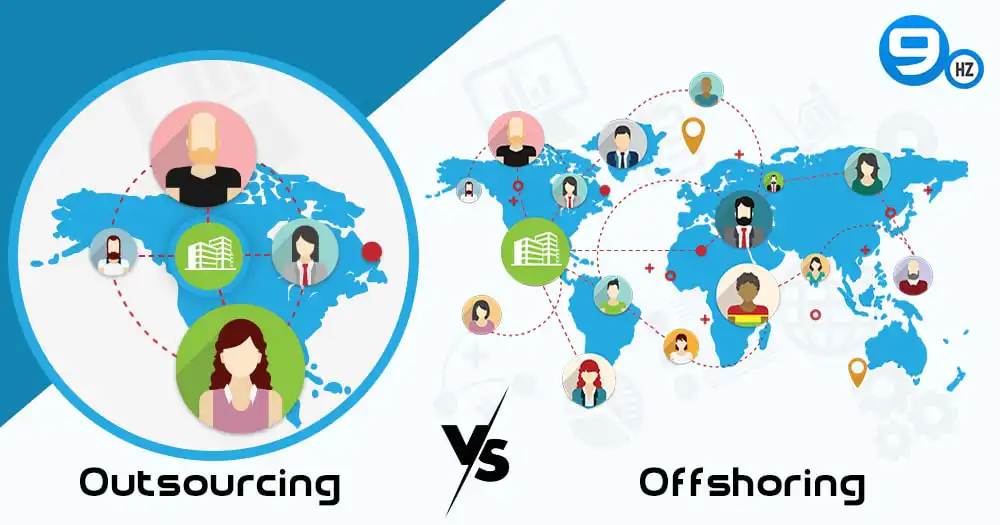
Outsourcing VS Offshoring | The Industrial Revolution fundamentally altered the way businesses were run. Companies were able to flourish at…